
Streamline EDI Transactions
We’re happy to announce that InOrder now supports many Electronic Data Interchange (EDI) transactions, including sending and receiving:
- Bills / invoices
- Inventory prices, inventory status / quantity information, and inventory items
- Purchase orders and order acknowledgements
- Shipping notices and notices of orders with related invoices
The new EDI Enhancement can also import customer orders and transmit vendor purchase orders. With this Enhancement, you now have the fastest way possible to get orders into InOrder.
How it Works
The InOrder EDI Inbound functions allow communications between you and your Vendor Trading Partners.
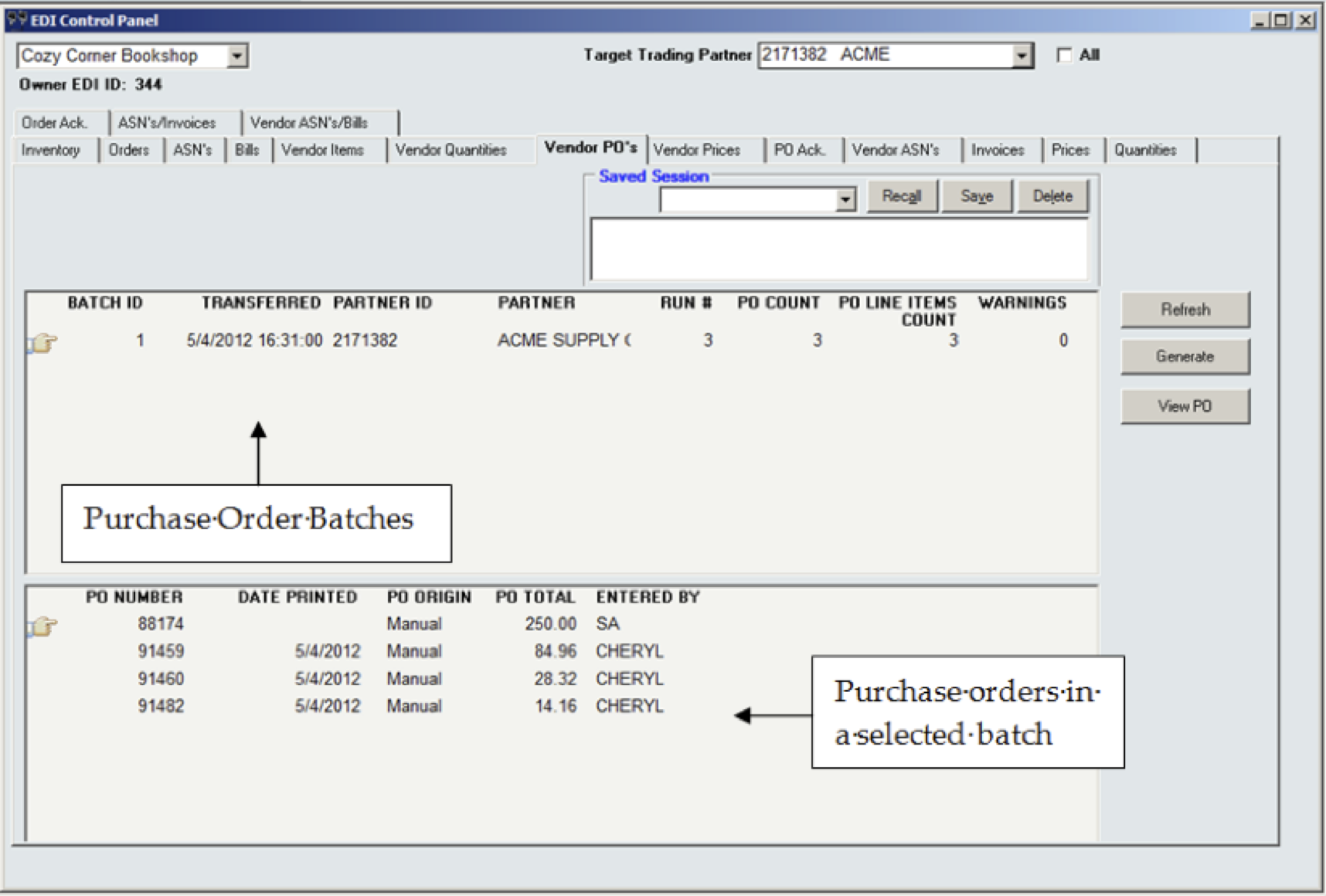
- Receive inventory/status/quantity/pricing data.
- Generate purchase order data and send it to your vendor partners for warehouse replenishment or for direct drop shipment to your customers.
- Receive and record PO acknowledgements.
- Receive invoices.
- Plan ahead – Receive notice of expected shipments from your vendors.
- Read carton license plate barcodes from vendors, to receive by carton using Advanced Ship Notices (ASNs) to determine carton contents.
The InOrder EDI Outbound functions allow similar communications between you and your Customer trading partners.

- Autopost drop shipments once confirmed as shipped by your EDI vendor partners.
- Export inventory/status/quantity/pricing data to your customer trading partners.
- Import shipment requests, drop shipment requests, and orders.
- Transmit order acknowledgements to customer partners as orders are successfully imported, indicating allocated stock and/or backordering.
- Transmit invoices and advance shipment invoice notices.
- Print license plate labels during packing verification to affix on all shipping cartons. Use a built-in UCC128 label or create a custom ASN label.
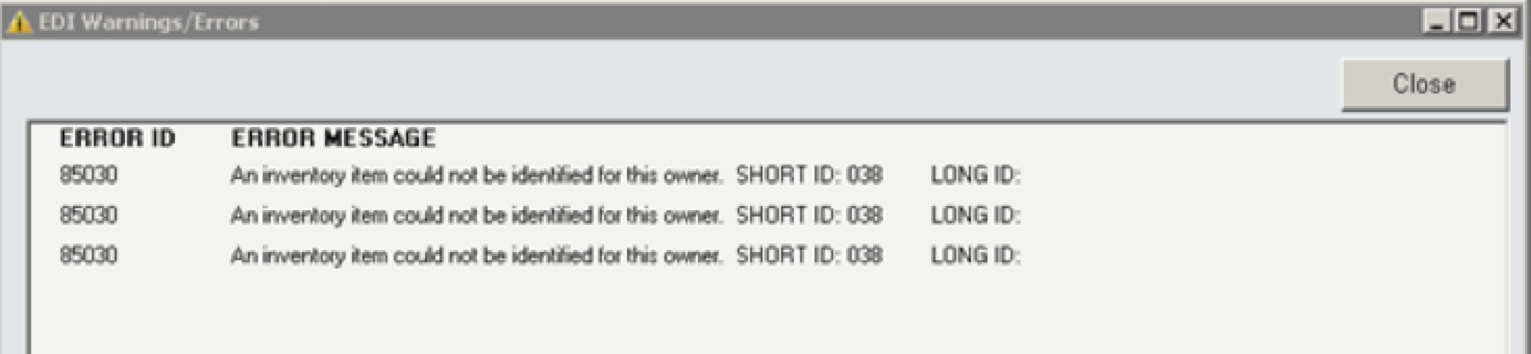
You can also view each EDI purchase order or transaction from within the EDI Control Panel, reset or exclude a purchase order from a group, and view / resolve / reprocess errors.
And finally, you can combine the EDI Enhancement with the InOrder Batch Builder Enhancement to schedule processes and receive or prepare data for transmission on your own schedule.
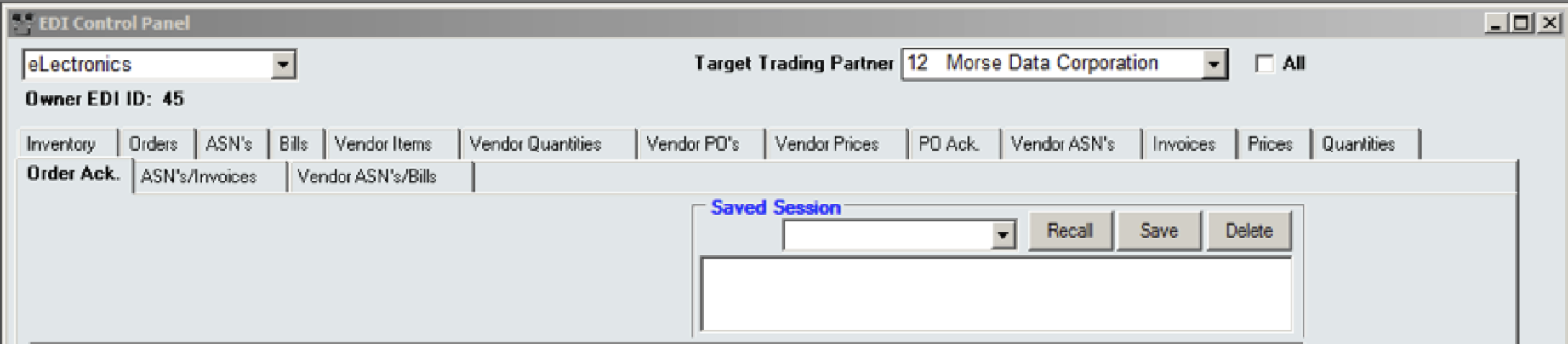
The InOrder EDI Enhancement communicates with the following EDI Service Providers:
SPS Commerce
UnitechEDI
Embassy Software
ACT Data Services
123 EDI
eZCom Software
Do you use EDI? What’s been your experience? Leave your comments.


InOrder’s Web Cart Now Supports Multiple Cross-Sell / Up-sell Capabilities
It’s been a very busy spring with multiple features to InOrder’s Web cart coming live each month. Many of these have been developed to help you improve your customers’ online shopping experiences — and ultimately improve sales. One feature we’re super excited about is the support for multiple cross-selling item types.
When customers purchase items through your online store, catalog or other channel, you can now offer additional options. (CSRs can offer related items via phone.) While this is a standard option on most retail sites these days, we’ve taken this functionality to a whole new level.
Instead of being limited to the standard single list capability, you can now provide multiple lists of products related to a specific SKU – even if these products reside on other areas of your website.
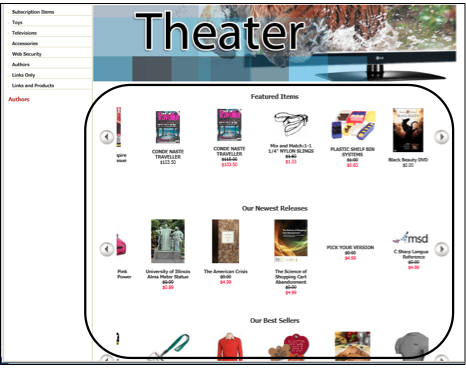
Related items may be displayed in groups on the home page and the Web cart. The main body of the home page displays those groups in rotating carousels. These groups may include items related to customers’ previous purchases, wish lists, loyalty awards, special searches, web specials, etc., and other groups defined by cross-selling types. Below is a screen shot showing a home page with groups of related items on carousels:
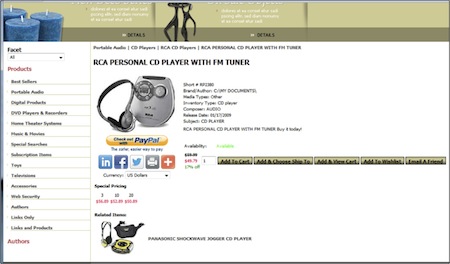
In the next screenshot, you can see the item details with Related Items.
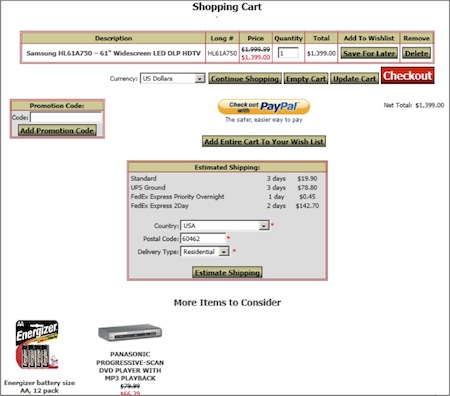
You can now offer customers additional items at the point of purchase, as seen in the next screenshot:
For use through Customer Service, the new cross-sell type description is displayed on the following InOrder windows:
Order Entry cross-sell / upsell popup:

A setting is available to determine whether or not items sold together as components of a kit are generated as cross-sells. When this setting is used, items that are sold together in a kit will also get generated.
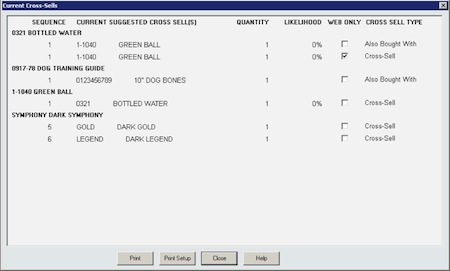
Current Cross-Sells shows the new Cross-Sell Type:
Have you used this new functionality yet? If so, let us know about it. We’d love your feedback. Stay tuned for additional new features!
My Favorite Feature — Customer Service Module
As an Enterprise Management System, InOrder has many valuable features. One of my favorites is the Customer Service module because it has everything Customer Service Representatives need to do their jobs – all in one place. Whether it’s entering orders and quoting prices, calling customers and keeping track of those calls, checking loyalty points, active subscriptions, and contact history for a customer, or sending a letter, Email, or even a Fax, all these things – and more – can be completed from InOrder’s Customer Service.

All the CSR has to do is enter the information on its tab. Want to know the customer’s birthday? Check a custom tab. Need to jog your memory about yesterday’s conversation? Check the History tab. Shipping, taxes, payments, it’s all here, right at your fingertips.
And while CSRs are taking care of customers, InOrder is busy supporting sales and marketing efforts, like recommending items for cross-selling and up-selling, associating orders with promotions or mailing lists, and tracking order origins.
You wouldn’t expect such a powerful tool would be so easy to use, but it is. What’s your favorite feature? How does it help you do your job?